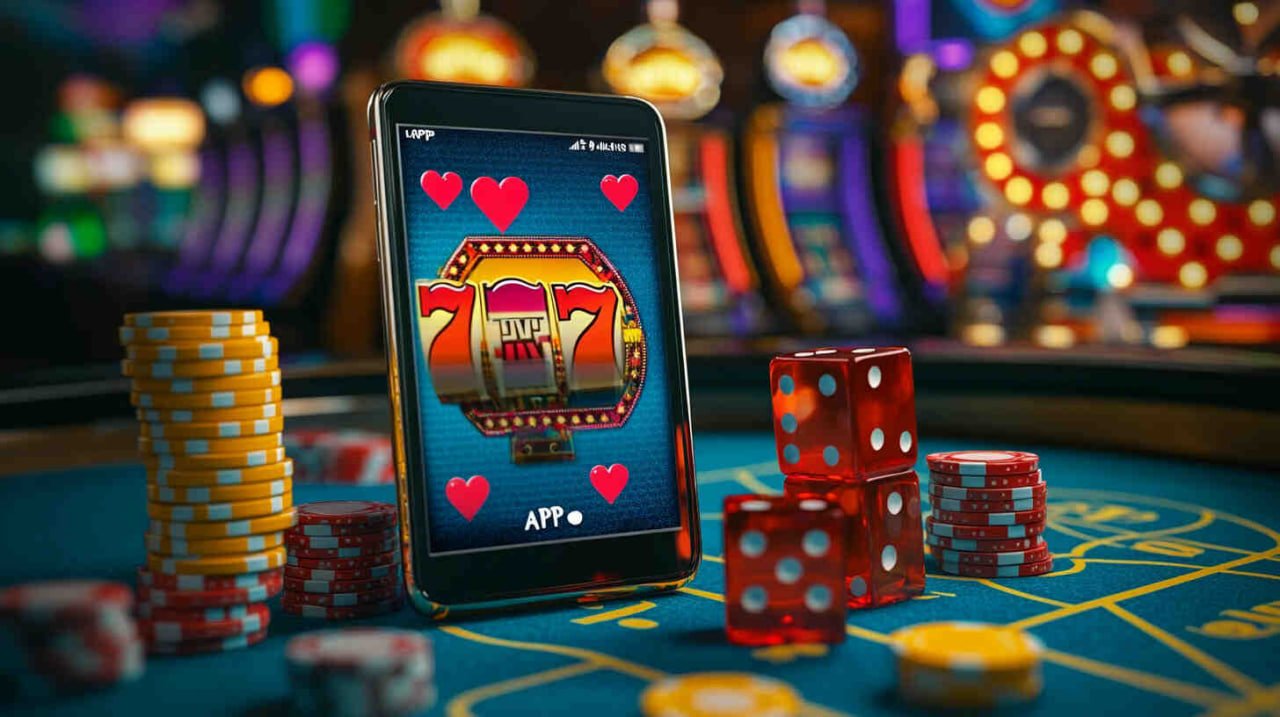
Official App

Download the 8090pg App for Android and iOS and Take the Fun in Your Pocket

The 8090pg app puts the entire platform in the palm of your hand: full games, Pix deposits in seconds, fast withdrawals, and exclusive promotions for mobile users.

4.8 Average rating
500k+ Downloads
Free to download
8090pg

Everything the Platform Offers, Right on Your Phone

The 8090pg app is not a stripped-down version of the platform — it is the full experience, optimized for smaller screens and mobile connections.

Full Game Lobby

Access to all games available on the desktop version, including slots, live games, and much more, with no catalog limitations.

Instant Pix Deposit

Make Pix deposits in seconds directly through the app, with an integrated QR Code and automatic on-screen confirmation.

Fast Withdrawal

Request withdrawals without needing to open your computer. The process is the same as the web version, with the same processing time.

Real-Time Notifications

Receive alerts for confirmed deposits, processed withdrawals, active promotions, and platform updates directly on your phone screen.

Exclusive Mobile Promotions

Some 8090pg promotions are made available exclusively to app users, with unique bonuses and terms.

Biometric Login

Access your account with fingerprint or facial recognition — no need to type your password every time you open the app.

Advanced Security

256-bit SSL encryption on all transactions, two-factor authentication, and automatic suspicious access detection.

Optimized for Slow Connections

The app is designed to work well even on 3G connections or unstable networks, with progressive content loading.

Native Dark Mode

Dark interface that protects your eyes during night sessions, with contrast optimized for AMOLED and high-resolution LCD screens.

8090pg

Available for Android and iOS

The 8090pg app works on both operating systems most used in Brazil, with simple and fast installation on any compatible device.

Android

The 8090pg APK can be downloaded directly from the website, with no need to go through the Play Store. Installation takes less than two minutes.

  • Android 7.0 or higher
  • Free space: 80 MB
  • Internet connection (Wi-Fi or mobile data)
  • Allow installation from unknown sources
  • Compatible with smartphones and tablets
Download Android APK

IOS (iPhone and iPad)

For Apple users, the app is available for download and works on iPhones and iPads with an up-to-date system, with an interface adapted for Retina displays.

  • iOS 13.0 or higher
  • Free space: 90 MB
  • iPhone 6s or later
  • iPad compatible with iOS 13+
  • Active internet connection
Download for iPhone
Android: To install the APK outside the Play Store, go to Settings > Security > Unknown sources and enable the option. Then just open the downloaded file and confirm the installation. The process is safe and common for entertainment apps in Brazil.

How to Download and Install the 8090pg App on Android

The process takes less than two minutes. See the full step-by-step guide:

1
Visit the 8090pg website on your mobile

Open your Android browser (Chrome, Firefox, or any other) and go to the app section on the platform. The APK download link will be visible on the page.

2
Tap "Download Android APK"

The APK file download starts automatically. Wait for the file to finish downloading in your device's notification bar — it usually takes less than 30 seconds on a 4G connection.

3
Allow installation from unknown sources

When opening the APK, Android may ask for permission to install apps from outside the Play Store. Go to Settings, tap Security, and enable "Unknown sources" or "Install unknown apps" for your browser.

4
Open the file and confirm the installation

Tap the downloaded APK file (it usually appears in the notification bar) and follow the on-screen instructions. Confirm the requested permissions — the app needs access to the network and camera for the Pix QR Code.

5
Open the app and log in

Once installed, the 8090pg icon appears on your home screen or app drawer. Open it, enter your email and password — or create your account if you don't have one yet — and enjoy.

Done! The app is installed and running. The next time you open it, you can use biometrics to access it even faster.

How to install on iPhone or iPad

1
Go to the app page via Safari

On iPhone or iPad, open Safari and navigate to the app section on 8090pg. Safari is the recommended browser for iOS as it ensures better compatibility during the installation process.

2
Tap "Download for iPhone"

Click the iOS download button. The system may ask you to confirm a profile installation — accept to continue.

3
Trust the developer profile (if required)

In Settings > General > VPN & Device Management, locate the 8090pg profile and tap "Trust". This step is standard for apps distributed outside the App Store.

4
Open the app and access your account

The 8090pg icon appears on the home screen. Tap to open, log in with your credentials, or register directly through the app. Face ID and Touch ID become available after the first login.

8090pg

App or Browser: See the Differences

Both options work well, but the app has some practical advantages for those who play frequently on mobile.

Feature 8090pg App Mobile Browser
Full lobby access
Biometric login (fingerprint/face)
Push notifications
Pix Deposit via QR Code Camera
Exclusive mobile promotions
Mobile-optimized performance
Withdrawal and transaction history
Tablet support

Everything You Need to Know About the 8090pg App

Since smartphones became the primary device for internet access in Brazil, it was clear that any digital entertainment platform looking to stay relevant needed to think mobile first. 8090pg understood this early on, and the app available today for Android and iOS is the direct result of that vision.

The app is not a rushed adaptation of the desktop version. It was built from scratch with a focus on the experience on smaller screens, thinking about how people actually use their phones: with one hand, in short moments of free time, often on a less-than-ideal mobile connection. Every interface detail was designed to reduce the number of taps needed to get where the user wants to go.

Interface Built for Your Finger, Not Your Mouse

One of the biggest problems with platforms that simply "shrink" the desktop version for mobile is that buttons become too small, menus get confusing, and users end up tapping the wrong things constantly. In the 8090pg app, interactive elements — buttons, fields, game options — meet minimum touch size standards following mobile accessibility best practices, making navigation smooth even for users with larger fingers or those using their phone on the go.

The fixed bottom navigation bar keeps the most-used sections — Games, Cashier, Promotions, and Account — one tap away, no matter where you are on the platform. No need to scroll back to the top to switch sections or return to the lobby.

8090pg

Pix in the App: The Fastest Way to Deposit

Making a deposit via Pix through the 8090pg app has an extra advantage over the web version: the phone camera is integrated directly into the flow. Instead of copying the key or opening another app to scan, the 8090pg app opens the camera natively on the deposit screen. You point your phone at the QR Code and the payment is initiated directly — no app switching, no copying and pasting.

For users who frequently use Pix, this integration saves a good few seconds on each transaction. It may seem like a small thing, but when you deposit before a gaming session and want to start right away, it makes a difference.

Tip: Enable push notifications in the app to receive deposit confirmations on your phone screen without opening the app. That way you know exactly when the balance has been credited to your account.

VIP via the App: Track Your Progress in Real Time

Users of the 8090pg VIP program have a dedicated section in the app where they can track their current level, accumulated points, active missions, and available rewards. Everything updated in real time, with no need to log into the desktop version to check their status.

Additionally, the app sends specific notifications for VIP members: alerts for missions about to expire, newly available rewards, and invitations to exclusive events. For those who take the VIP program seriously, the app is the most practical tool to maximize benefits without missing any opportunity.

App Security: More Layers, Same Ease of Use

Security in the 8090pg app operates across multiple layers simultaneously. The first is end-to-end encryption on all communications — no data travels in plain text between the app and the servers. The second is biometric authentication, which adds a physical identity check before any account access.

There is also automatic suspicious behavior detection: if the app detects access from a new device or unusual location, an additional verification is required before granting access. This protects your account even if someone has obtained your password.

For more sensitive financial operations — such as withdrawals above certain amounts — the app may request confirmation via a code sent to your registered email or phone, regardless of biometrics. These layers together make the app a more secure environment than many conventional banking apps.

Automatic and Uninterrupted Updates

The 8090pg app receives frequent updates that bring new games, performance improvements, bug fixes, and new features. On Android, updates are downloaded automatically in the background and applied the next time you open the app — no need to manually download a new APK every time.

On iOS, updates follow the standard Apple platform process, with a notification when a new version is available. In both cases, the process is seamless and does not interrupt ongoing sessions.

Built-in App Support

Need help with a deposit, a withdrawal, or any other issue? 8090pg support is accessible directly through the app, in the help section. No need to leave the app, open a browser, and search for the desktop version's support chat — everything is within the same environment.

Support is available 24 hours a day, 7 days a week, including weekends and holidays. For more common questions, the FAQ section within the app answers the most frequently asked questions without needing to contact live support.

Note: Only download the app through official 8090pg links. Be wary of APKs distributed by third-party sites or social media groups — they may contain malicious software. The official app is always made available directly by the platform.

Use of the app is subject to the Terms and Conditions and to the Privacy Policy by 8090pg. Intended for users aged 18 and over. Play responsibly.

The App of 8090pg is Waiting for You

Free, lightweight, and complete. Install in under two minutes and access games, Pix, withdrawals, and exclusive promotions right from your phone.

Questions about the 8090pg App

Yes, downloading and installing the 8090pg app is completely free for both Android and iOS. There is no charge for the app itself. The only amounts involved on the platform are the deposits the user voluntarily chooses to make to play.

Android, by default, blocks the installation of apps that do not come from the Play Store as a security measure. To install the 8090pg APK, you need to authorize your browser or file manager to install apps from external sources. This process is simple, safe, and widely used in Brazil for entertainment and streaming apps. After installation, you can disable the permission again if you prefer.

Yes. The 8090pg app works with any internet connection, whether Wi-Fi, 4G, or 5G. It has been optimized to use less data than the browser-based web version, making mobile data usage more economical. On slower 3G connections the app still works, but some games may take a little longer to load.

Yes. The 8090pg account is unique and synced across all devices. You can make a deposit on your computer and play on your phone right after, or start a session on the app and continue on the desktop — your balance, history, and promotions are the same on any device where you are logged in.

The 8090pg app is updated regularly, generally every two to four weeks, with performance improvements, new games added to the catalog, fixes, and occasional new features. On Android, APK updates are made available by the platform and can be downloaded automatically if you enable auto-update in the app settings.

Yes. The game catalog in the app is the same as the desktop version. All titles available in the platform lobby are accessible through the app, including live games. The only difference is the interface, which is adapted for smaller screens — but the content is identical.

On the app's login screen, there is a "Forgot my password" option. Tapping it lets you enter your registered email and receive a recovery link. The process is the same as on the web version and takes less than two minutes. After resetting your password, you can enable biometric login so you won't need to type it again next time.

Download the App from 8090pg and Play Anywhere

Free, lightweight, and with full access to the platform. Android or iPhone, the 8090pg app is ready for you to play wherever and whenever you want.

Português (Brasil)